No doubt you’ve been there: you have an amazing idea for an event poster, a marketing campaign, or a personal project, but when it comes to designing promotional material, you simply cannot.
Thankfully, there’s an AI tool for that! Solutions like QuillBot’s AI Poster Generator minimize the time and cost required to create commercial-grade designs. Simply describe what you’re looking for, and let the tool do the work.
In this article, we’ll give you some ideas for inspiration and provide a quick tutorial on how to get started yourself.
Need to convert your site’s favicon into an alternative file format? Or maybe you want to share a design you’ve created for a Windows icon image? That’s where an ICO converter can come in handy.
Fantasy map generators allow you to bring your vision to life. You can use them to create custom game boards, illustrations, or simply to immerse yourself in alternate realities.
In this guide, you’ll learn how to use QuillBot’s free Fantasy Map Generator so you can start creating your own worlds today.
In today’s world, having an online presence is an important part of modern life for many people. Whether you engage in personal branding to expand your career prospects, use web platforms as a creative outlet, or simply want to keep up with your social network—most of us already have a digital persona.
With the help of AI, you can now create a personalized avatar that’s perfectly tailored to the image you want to cultivate online. In this guide, you’ll learn how to use QuillBot’s free AI Avatar Generator to create custom images.
The right image can stop a scroll, clarify an idea, or make a post worth sharing. But finding the perfect image isn’t always easy. Stock photo libraries can feel repetitive, and creating custom graphics usually requires design skills.
An AI random image generator is a faster way to get what you need. Instead of searching for existing visuals, you can generate new images in seconds using a simple text prompt—and sometimes discover unexpected ideas along the way.
Tools like QuillBot’s AI Random Image Generator make it easy to create unique visuals or explore random prompts when you’re looking for inspiration.
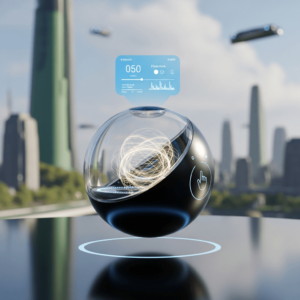
Example: Using QuillBot’s AI Random Image Generator for inspirationPrompt: “Random futuristic product concept.”
Whether you’re an aspiring content creator or a professional polishing your LinkedIn page, first impressions are everything. And when someone’s viewing your profile, your banner image is often the first thing they’ll notice.
Lucky for you, customized banners, which used to require hours of design or a hefty freelance fee, are just a click away with tools like QuillBot’s free AI Banner Generator. This article will walk you through best practices for creating high-quality, professional images to use for your banner across any platform, with zero design skills or expensive software required.
Over the last decade, emojis have transformed from a fun part of texting into an essential part of digital communication. They can add personality and emotion to your message, clarify tone, and visually organize your text.
There are over 1,000 emojis, each with its own meaning. But despite this abundance of options, have you ever found yourself wishing for an emoji that doesn’t exist? Maybe you’d like to add a rainbow heart emoji, a capybara, or an emoji version of a chicken nugget to your messages?
QuillBot’s emoji generator lets you create these emojis. Whether you want playful reactions or custom emojis that fit your brand identity, this generator lets you create custom emojis to enhance your messages, marketing, and online presence.
In this guide, you’ll learn all about creating custom emojis, how to use QuillBot’s emojigenerator effectively, and how to structure your emoji prompts for optimal results. You’ll also find 60 example prompts to inspire you to start creating your own emojis today. Don’t settle for generic emojis any longer; the emoji world is now at your fingertips!
An SVG converter makes it easy to turn SVG files into formats that websites, social media platforms, and document editors actually accept. While SVGs are ideal for logos, icons, and illustrations because they scale without losing quality, they aren’t universally supported. And if you’ve ever tried uploading an SVG and received an error, you’ve seen this limitation firsthand.
Online solutions—like QuillBot’s free SVG converter—make converting SVGs easier (and cheaper) than ever. Keep reading to learn more about SVGs and how to convert SVG files in three simple steps.
A WEBPconverter makes it easy to turn WEBP files into image formats that are more widely supported across platforms and devices. While WebP is designed for efficient compression and fast web performance, not every tool, app, or document editor handles it seamlessly.
If you need to convert WEBP to another file format, online tools like QuillBot’s free WEBP converter simplify the process. In just a few steps, you can convert WEBP files into formats like JPG, PNG, or PDF for easier sharing, editing, or printing.
If you’ve ever tried to upload a photo to a website or send it to a Windows user only to encounter a “file not supported” error, you’ve likely encountered the HEIC image format. Many Apple products use High Efficiency Image Container (HEIC) files to save space when storing high-quality images, but formats like JPEG and PNG are more universally compatible.
Thankfully, converting your HEIC and HEIF images to a different format is fast and easy with QuillBot’s free HEIC image converter. Read on to learn more about how to convert and share your images with the click of a button.